Create a CV
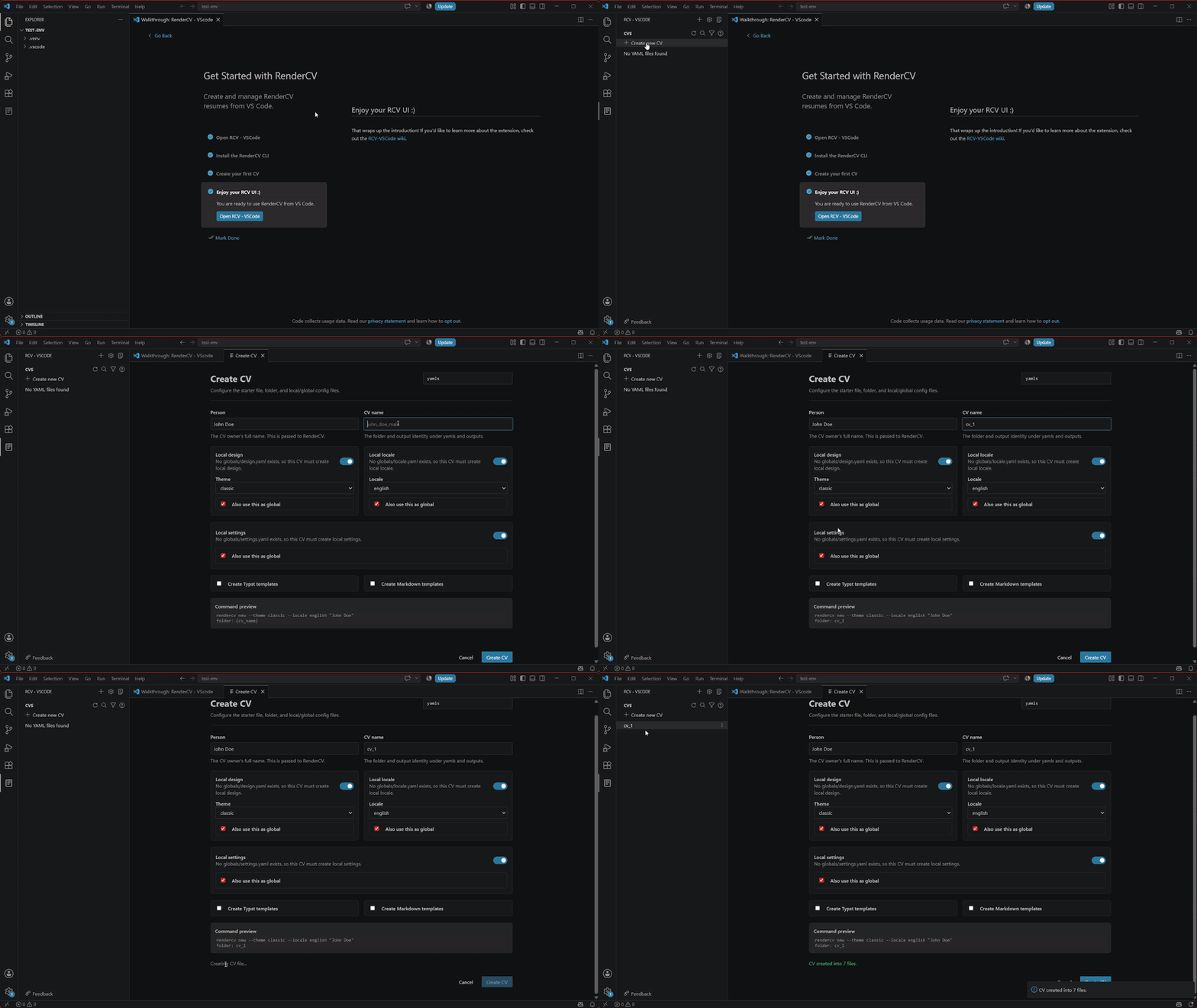
You can create a CV in 5 (4!) simple steps:
CV creation GIF
-
Open the RCV-VSCode sidebar
- Located in the VSCode sidebar, presented as a page icon.
-
Click on the "Create new CV" button
- This button is located in the RCV-VSCode sidebar.
-
Fill the required fields
- The view will let you know which fields are required, so feel free to leave some empty.
info
The first time that you create a CV, you will be required to create global settings, which will be taken from that first CV you create. This might not be that important at first, but it's good to notice it.
If you want to learn more about global and local settings, read this post about that.
-
Click the blue "Create CV" at the bottom
- You might need to scroll a little bit to see it.
-
Enjoy your new CV! :D
Don't worry about file management, everything is handled by the extension to make your whole workflow stay in our custom side bar.